New Tab · Search · Quick Access · Bookmarks

One start page for every new tab you use

Z TAB replaces your new tab with a fast dashboard: a multi-engine search bar, quick access tiles and a full bookmark manager — synced through your account across the web, Chrome and Firefox.

Ztab_v_1.2.0Released Aug 30, 2026 · Firefox XPI packages and faster boot

No install needed? Try Z TAB on the web
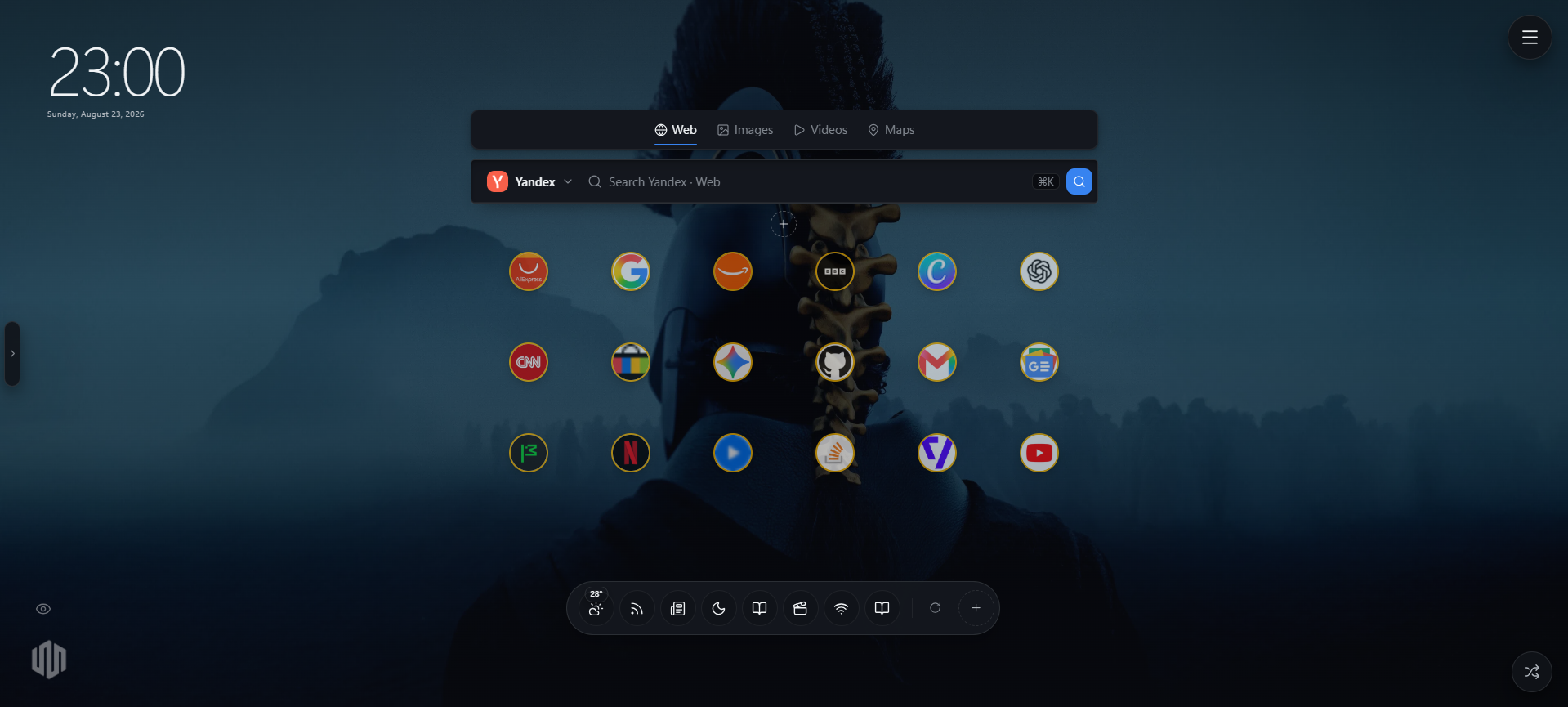
Z TAB — New Tab
Z TAB new tab running inside a desktop browser: clock, multi-engine search bar, quick access tiles and the floating widget dock
surfaces, one account
3

surfaces, one account

search switching
< 50ms

search switching

revision-based sync
Delta

revision-based sync

Download

Three packages, one product

Ztab_v_1.2.0

Pick your browser and install in under a minute. Sign in once here and the extension picks up your account automatically. Every file is stamped with the version you see above.

Chrome logo

Chrome

ZIP · unpacked

Ztab_v_1.2.0-chrome.zip

New tab override, toolbar popup, right-click menus and background sync.

  1. 01Download and unzip the package.
  2. 02Open chrome://extensions.
  3. 03Turn on Developer mode.
  4. 04Click Load unpacked and pick the folder.
Firefox logo

Firefox

ZIP · WebExtensions

Ztab_v_1.2.0-firefox.xpi

The same build for Gecko, with a session relay so you never sign in twice.

  1. 01Download the package (no unzip needed).
  2. 02Open about:debugging#/runtime/this-firefox.
  3. 03Click Load Temporary Add-on.
  4. 04Select the ZIP or its manifest.json.
Chrome CRX logo

Chrome CRX

CRX3 · signed

Ztab_v_1.2.0-chrome.crx

Signed package with a stable extension id for policy installs and side-loading.

  1. 01Download the .crx file.
  2. 02Open chrome://extensions with Developer mode on.
  3. 03Drag the .crx onto the page.
  4. 04Confirm the install prompt.

Works where you work

Supported browsers

  • Chrome logoChrome
  • Firefox logoFirefox
  • Edge logoEdge
  • Brave logoBrave
  • Opera logoOpera
  • Vivaldi logoVivaldi
  • Arc logoArc
  • Yandex logoYandex

Changelog

What's new

Every release, what changed and when it shipped. The version you download always matches the newest entry here.

  1. Ztab_v_1.2.0

    Aug 30, 2026

    Current build

    Firefox XPI packages and faster boot

    Firefox now ships as an installable .xpi instead of a raw ZIP, and the packaged app paints sooner thanks to lazy widgets, coalesced writes and cached icons.

    • NewFirefox builds are packaged as `Ztab_v_<version>-firefox.xpi` — install straight from the file, no unzipping.
    • ImprovedDownload cards read filenames from the single version source, so the site always offers the current build.
    • ImprovedHeavy widgets load on demand; the first paint of a new tab ships far less JavaScript.
    • ImprovedLocal writes are coalesced and documents are read through an in-memory cache, so bulk edits no longer hit IndexedDB per keystroke.
    • ImprovedFavicons are cached offline as blobs — Quick Access paints complete with no network.
  2. Ztab_v_1.1.1

    Aug 29, 2026

    Stability and diagnostics

    Content scripts no longer collide, every packaged page recovers from a crash on its own, and a local Diagnostics panel shows exactly what failed.

    • Fixed"Identifier 'api' has already been declared" — content scripts now run inside guarded scopes and never execute twice on one page.
    • NewDiagnostics panel in extension options: recent errors, subsystem health and a one-click redacted report to copy.
    • NewCrash screens on New Tab, Bookmarks, Snippets and the side panel with Try again, Reload and Diagnostics — a failure can no longer leave a blank page.
    • ImprovedStorage and messaging calls degrade gracefully: a sleeping background worker now times out instead of hanging the UI.
    • ImprovedBackground lifecycle (install, startup, sync alarms) is wrapped so one failing subsystem cannot take the worker down.
  3. Ztab_v_1.1.0

    Aug 26, 2026

    Settings rail redesign

    Every settings card rebuilt as a calm sectioned panel with sticky live previews, hairline dividers and per-section resets.

    • NewSticky live previews in the Icon, Fonts, Search box and Widget bar cards that stay pinned while you scroll.
    • ImprovedAll eight settings panels now share one sectioned layout with helper text and per-section resets.
    • ImprovedWidget bar quick menu gains the 25-square positioner and resize controls.
    • FixedIcon preview no longer scrolls away inside long settings cards.
  4. Ztab_v_1.0.0

    Aug 26, 2026

    Native packages

    Tab, Bookmark Explorer and Snippet Library now ship inside the extension package and render instantly offline.

    • NewThe full Z TAB app is bundled into the Chrome, CRX and Firefox packages — no remote code.
    • NewLocal fonts and IndexedDB storage so a new tab paints before the network answers.
    • NewVersioned download files and this changelog.
    • ImprovedServer-only data (weather, feeds, markets, Quran, link checks) flows through one signed bridge endpoint.
    • ImprovedSigned-in sessions are shared between the website and the installed extension.
    • FixedToolbar popup buttons open local extension pages instead of the hosted site.
  5. Ztab_v_0.9.0

    Aug 12, 2026

    Widget dock and mobile start page

    A movable floating dock, sticky widget bubbles and a dedicated Android start page.

    • NewFloating Widget Bar with sticky bubble windows and anti-overlap placement.
    • NewZ TAB Mobile at /mtab with snap-scrolling History, Home and Widget pages.
    • NewSpeed test, device details, advanced Quran player and the notebook Reading Queue reader.
    • Improved25-square alignment grid in every widget context menu.
    • FixedVertical and horizontal centering now measures the widget's visual middle.
Read the full changelog